Check Your Toggles
Every major AI platform lets you control whether your conversations are used to train its models. Most of them don't make it easy to find. Here's where to look.
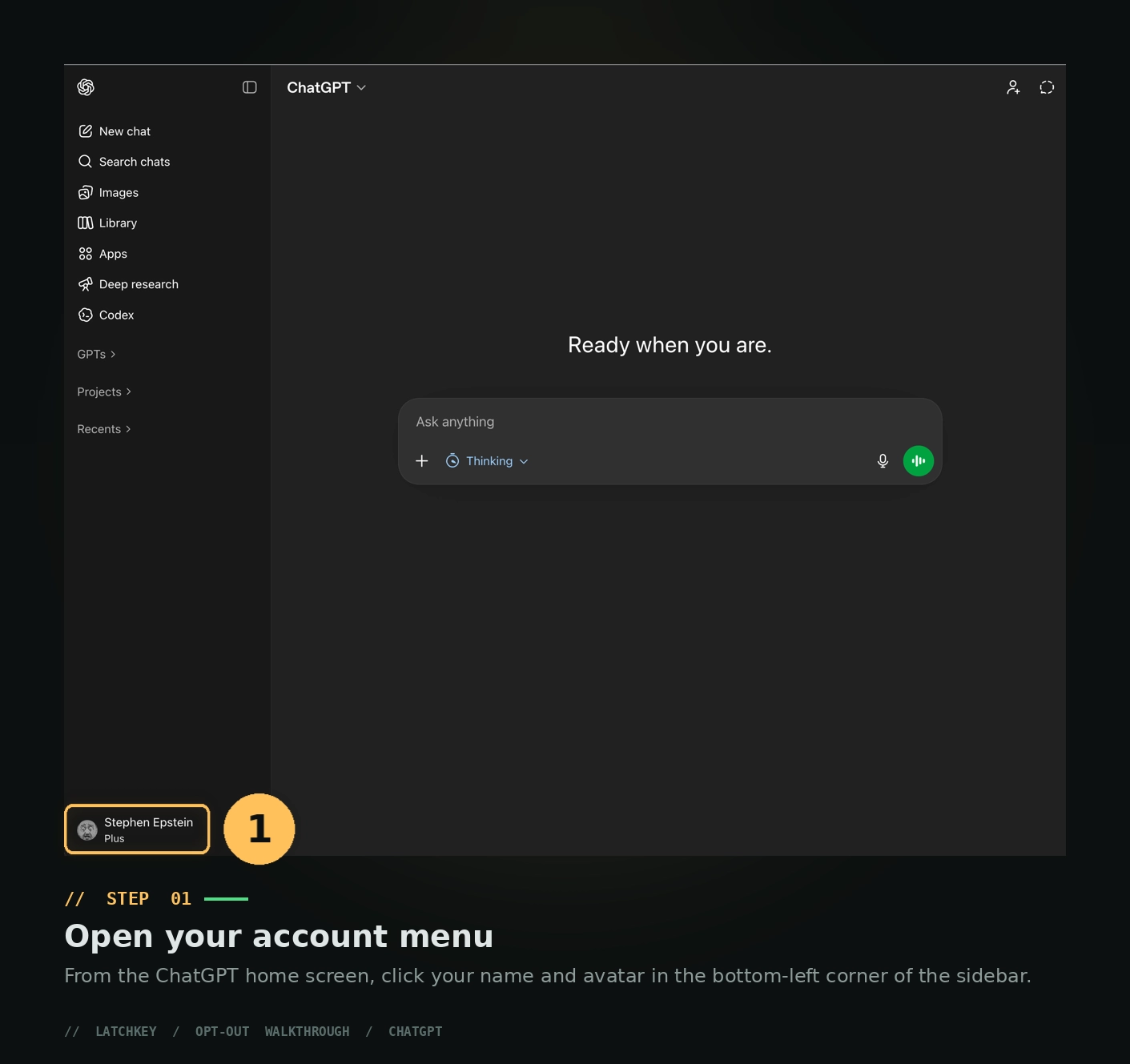
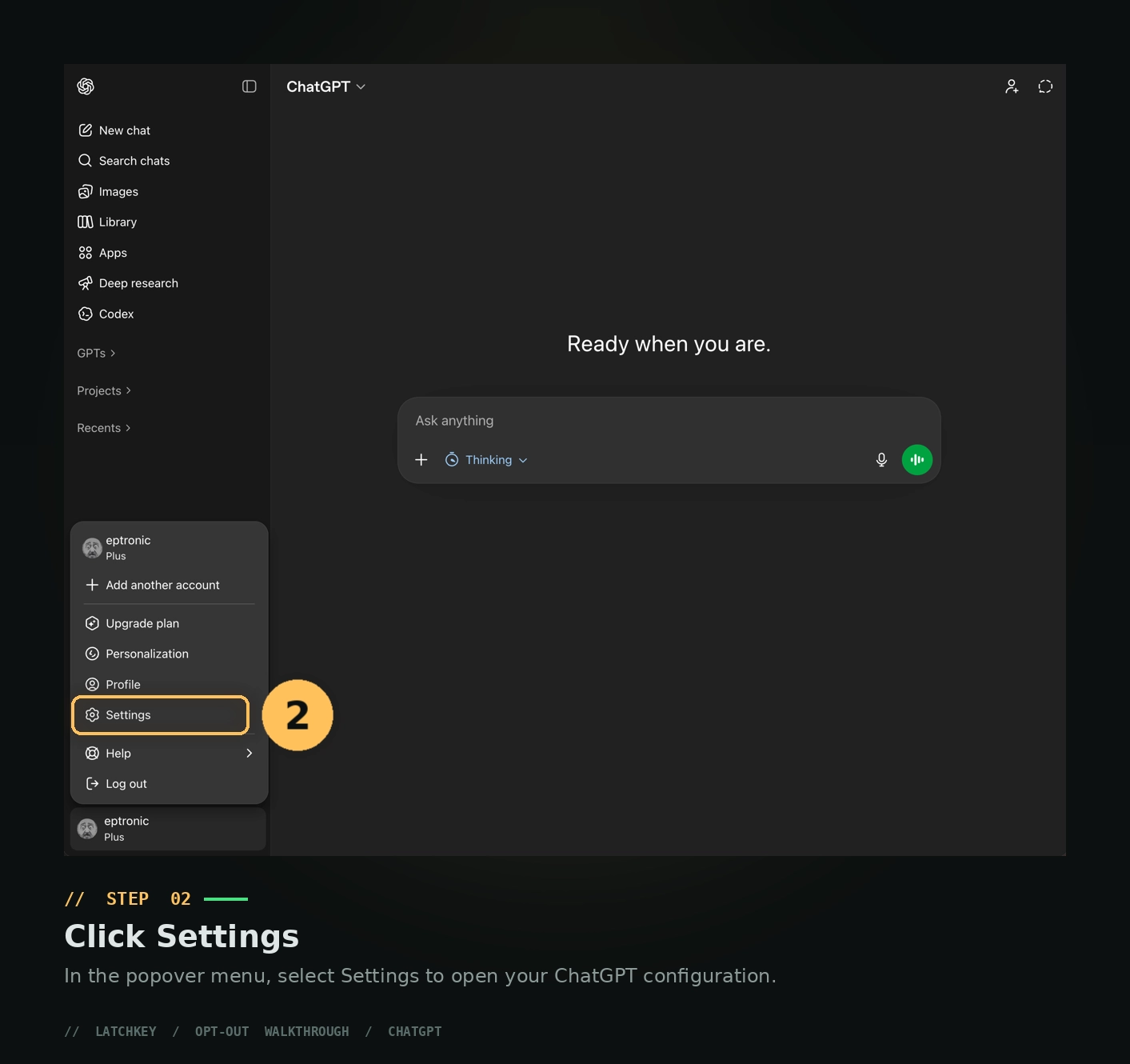
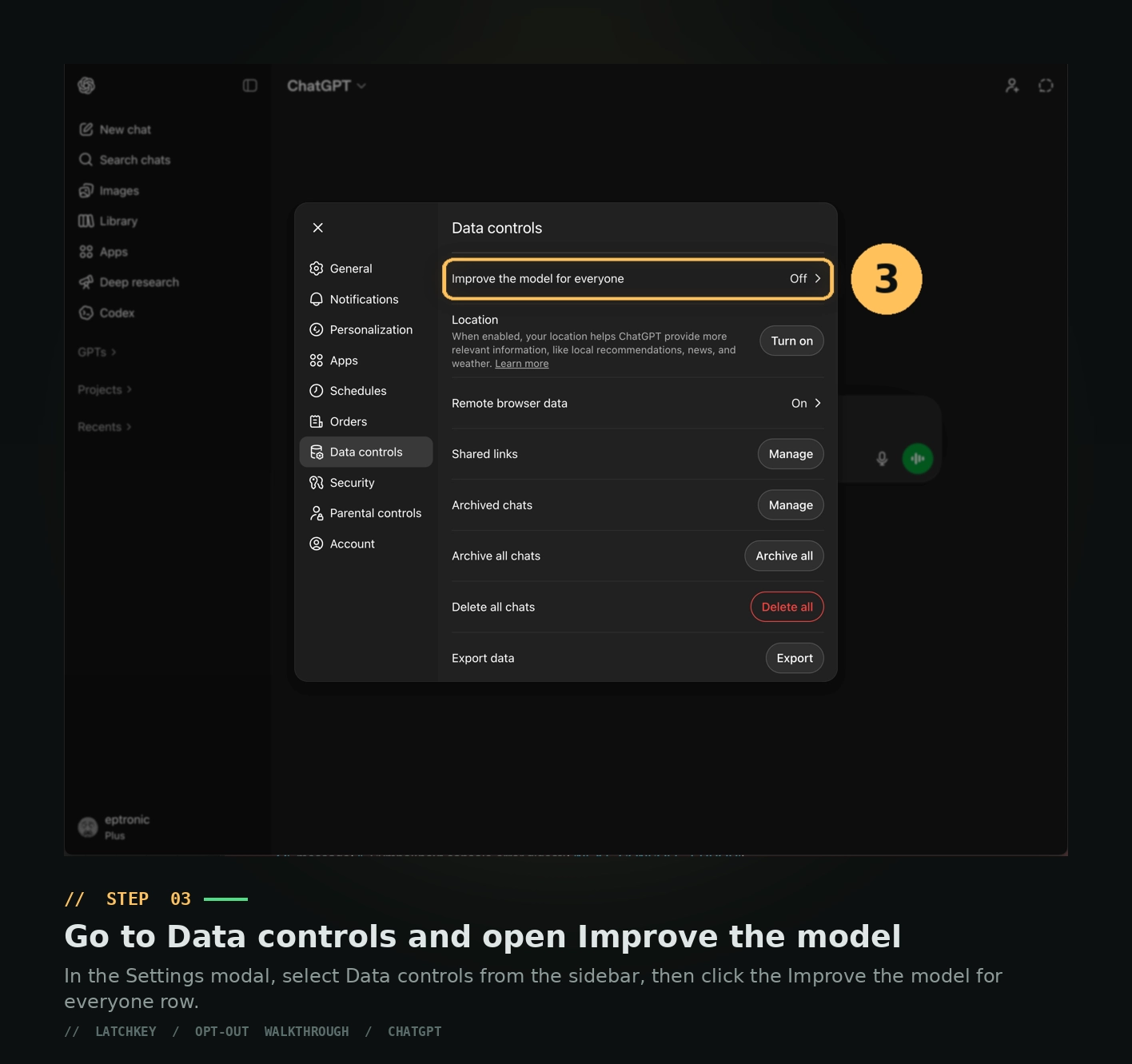
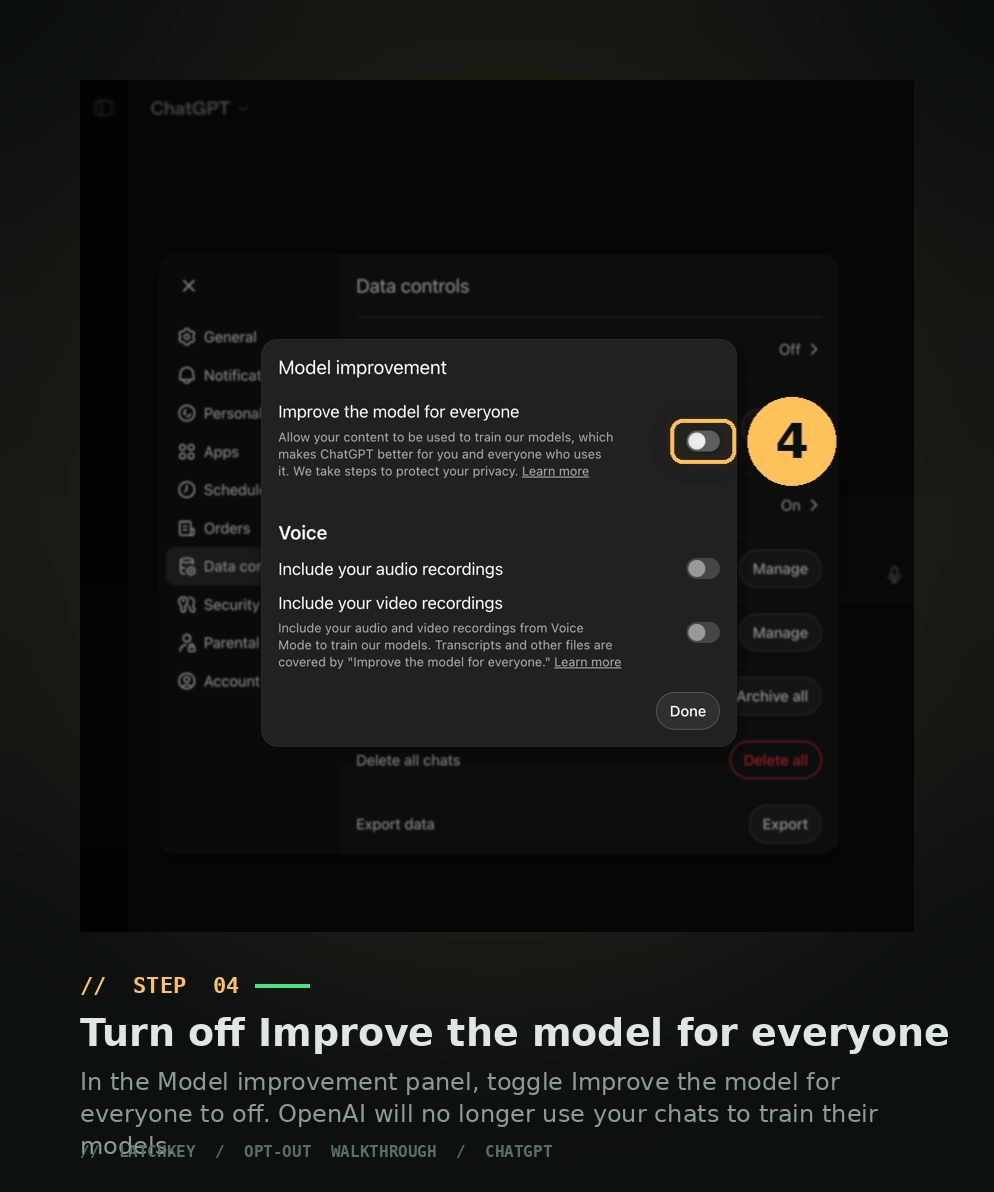
ChatGPT Settings
Default at signup: training ON. You have to find the toggle yourself.
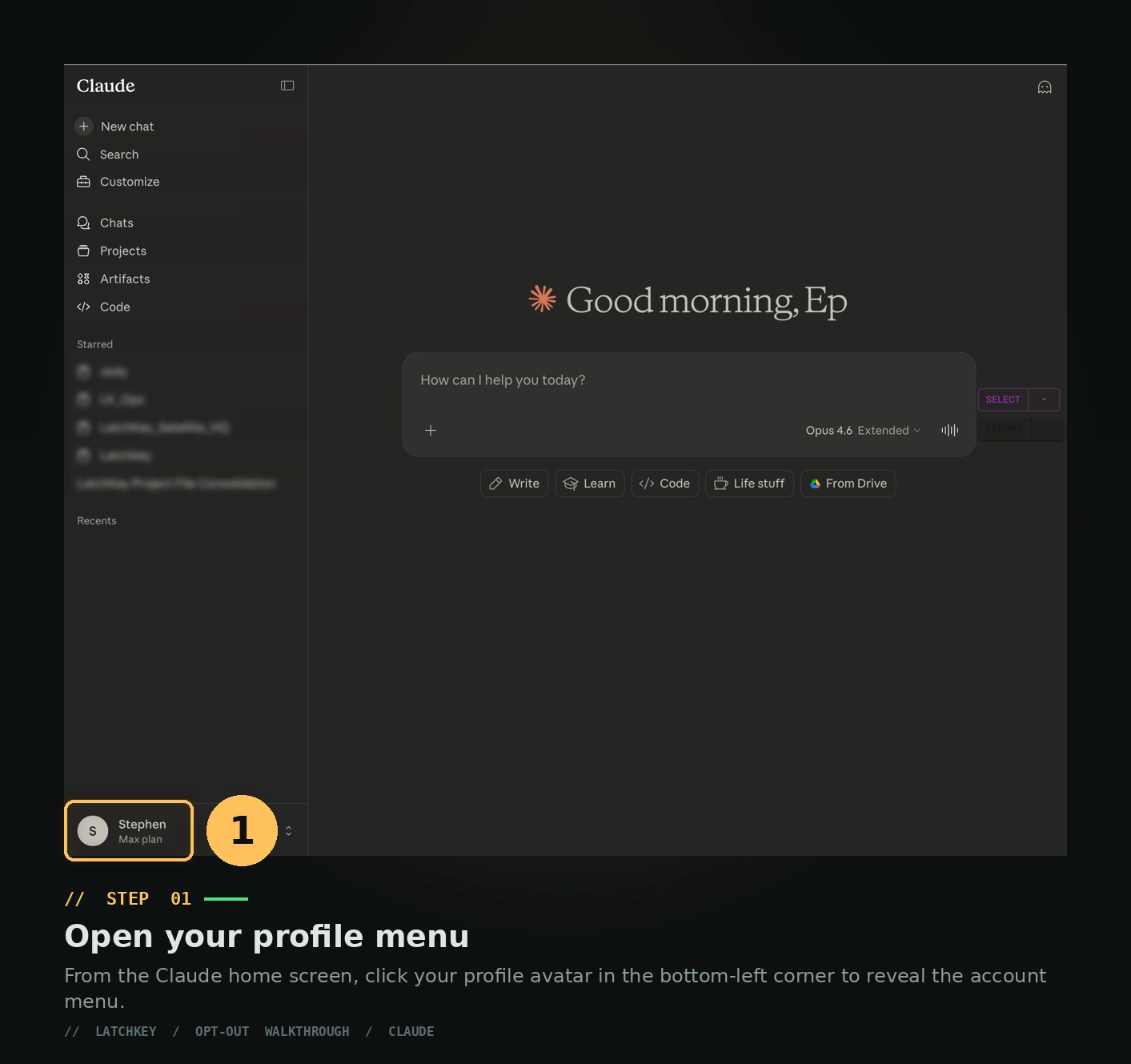
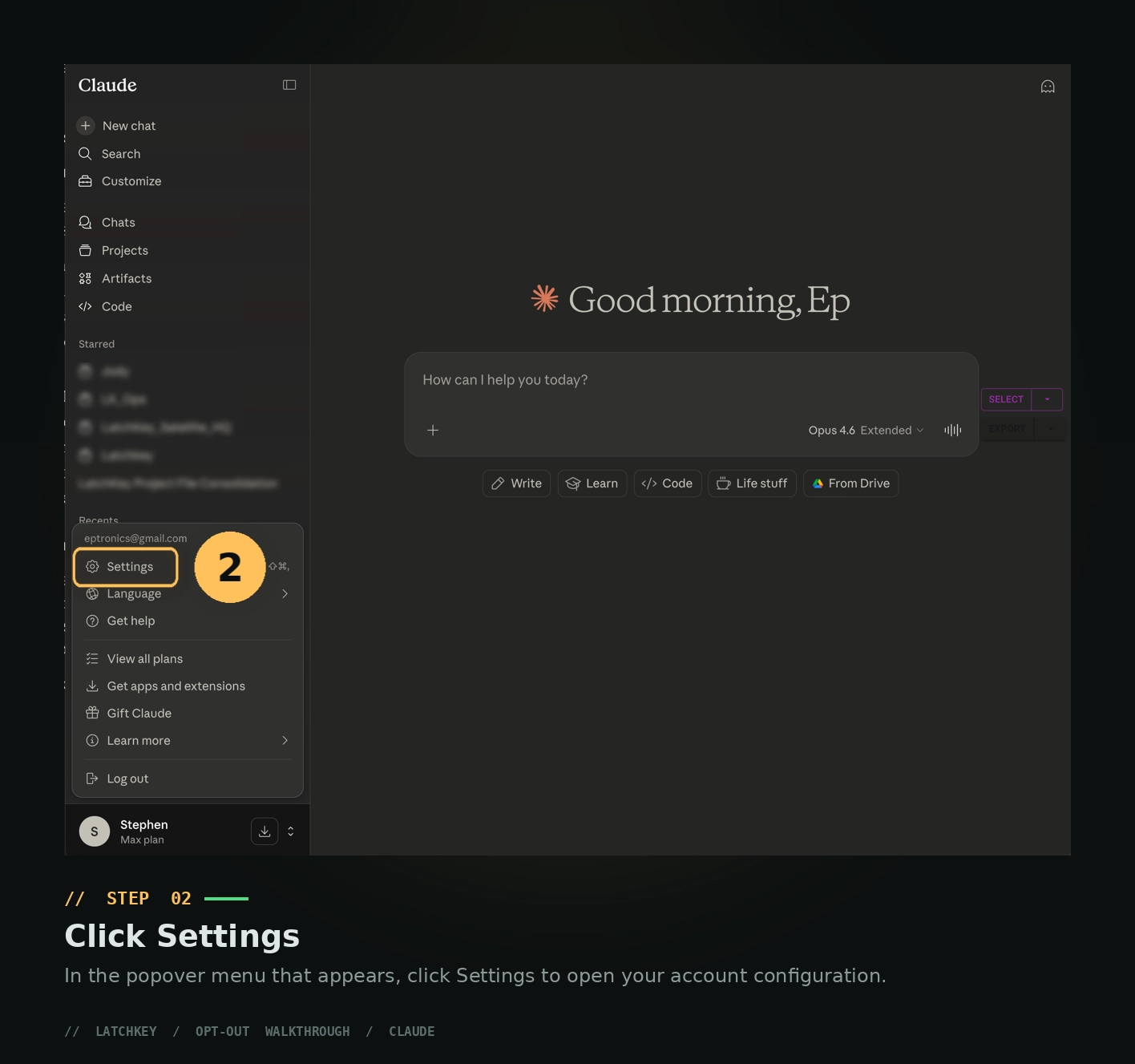
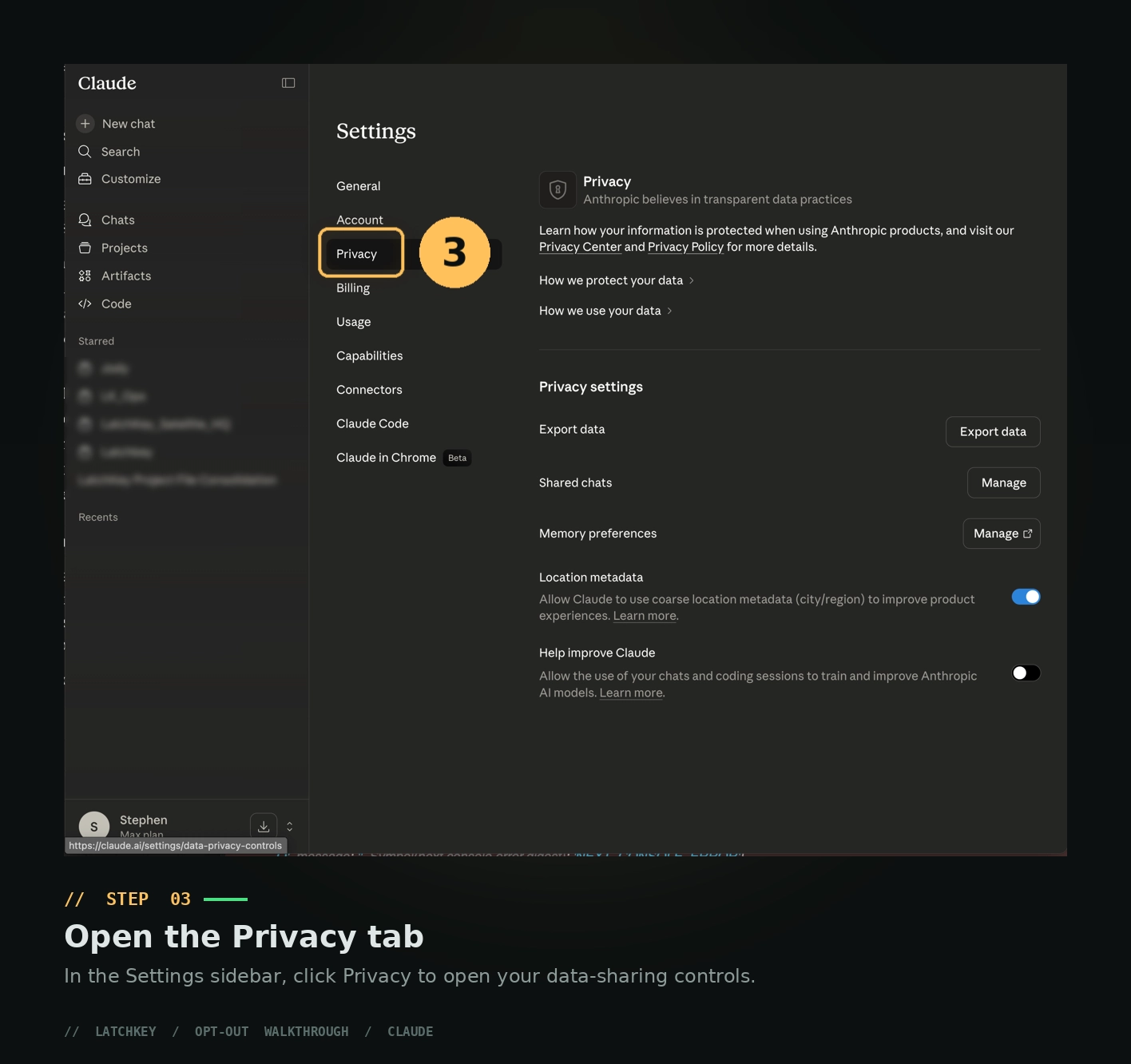
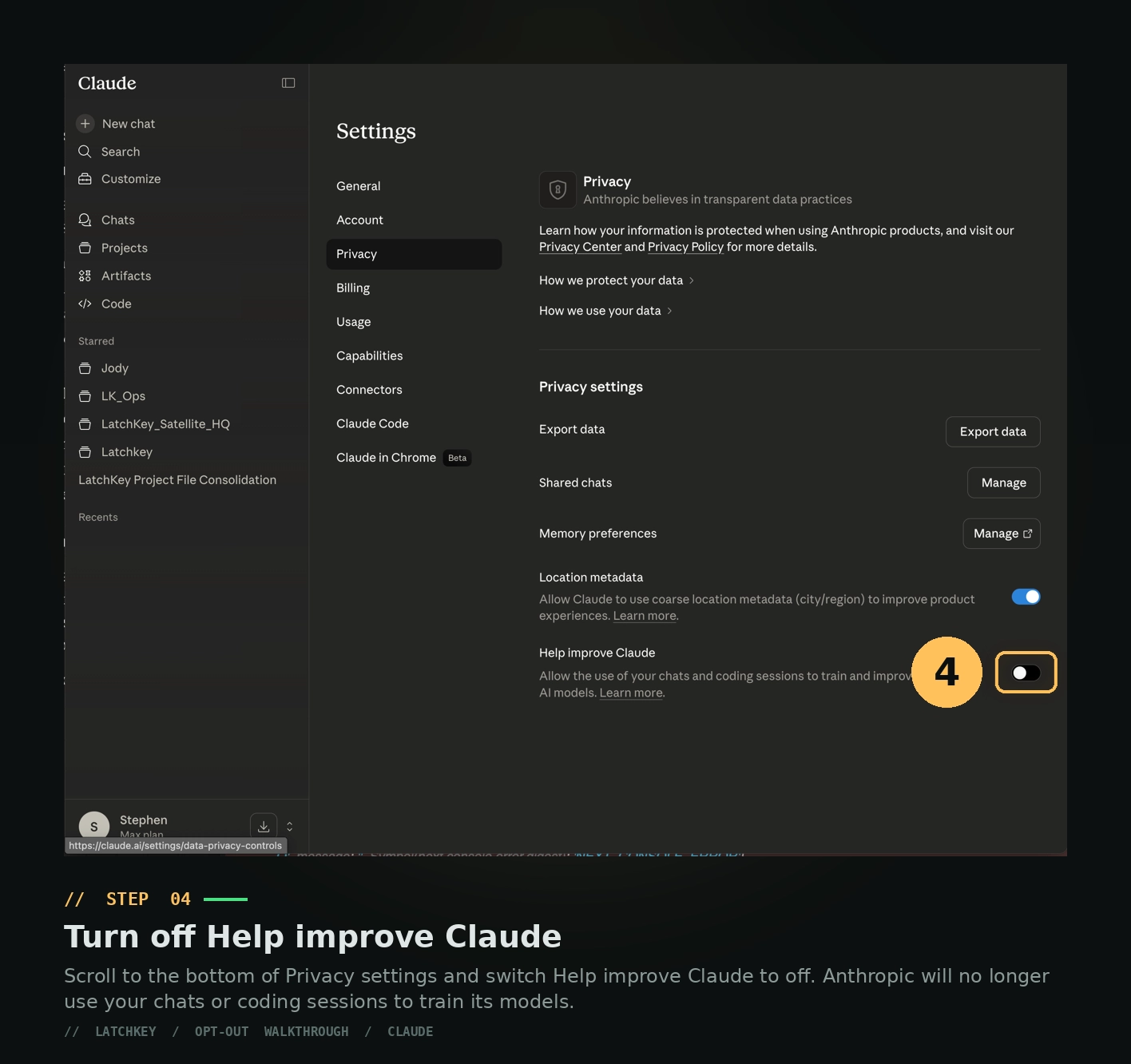
Claude Settings
Default at signup: training ON. Toggle is in your account settings.
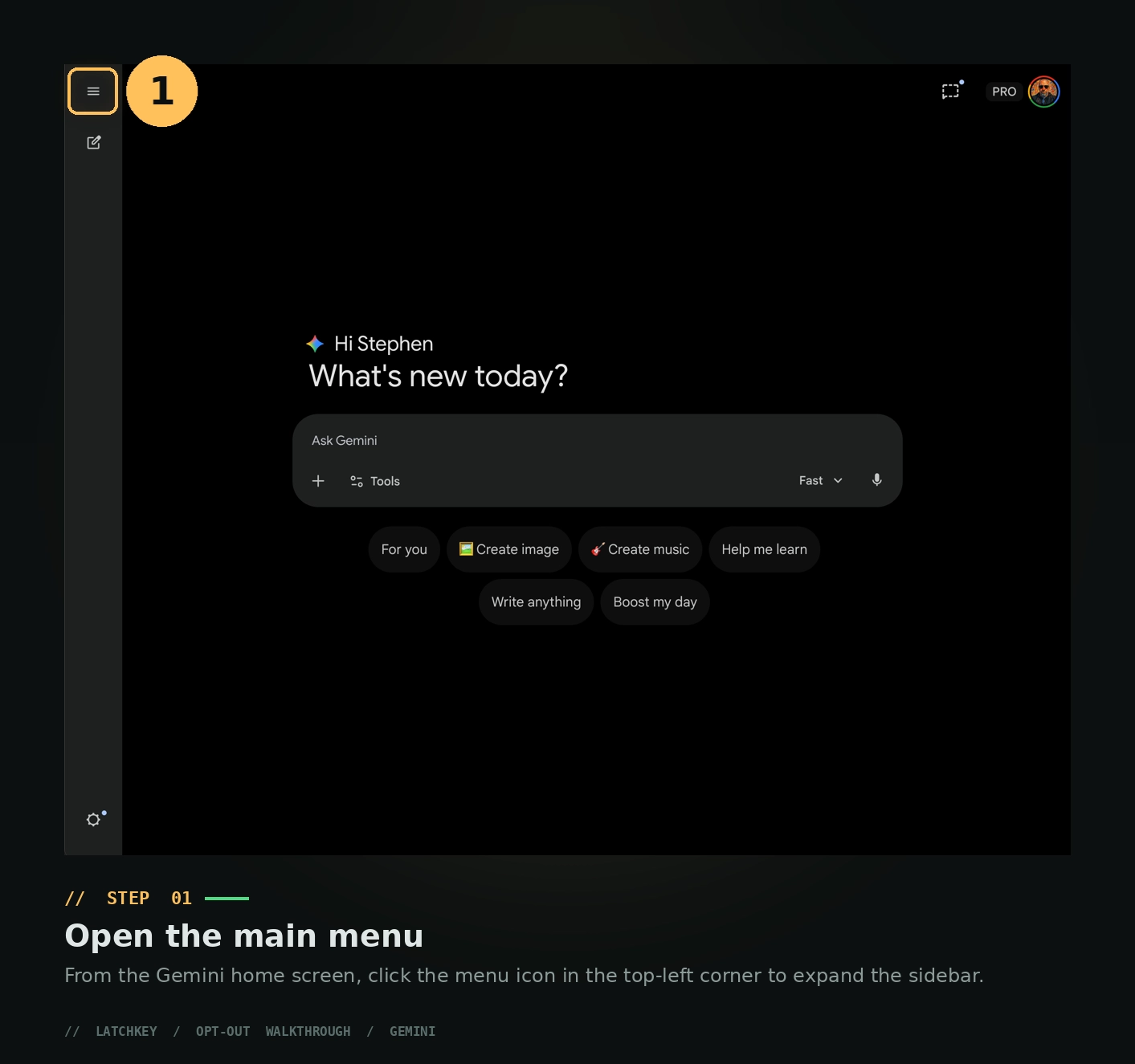
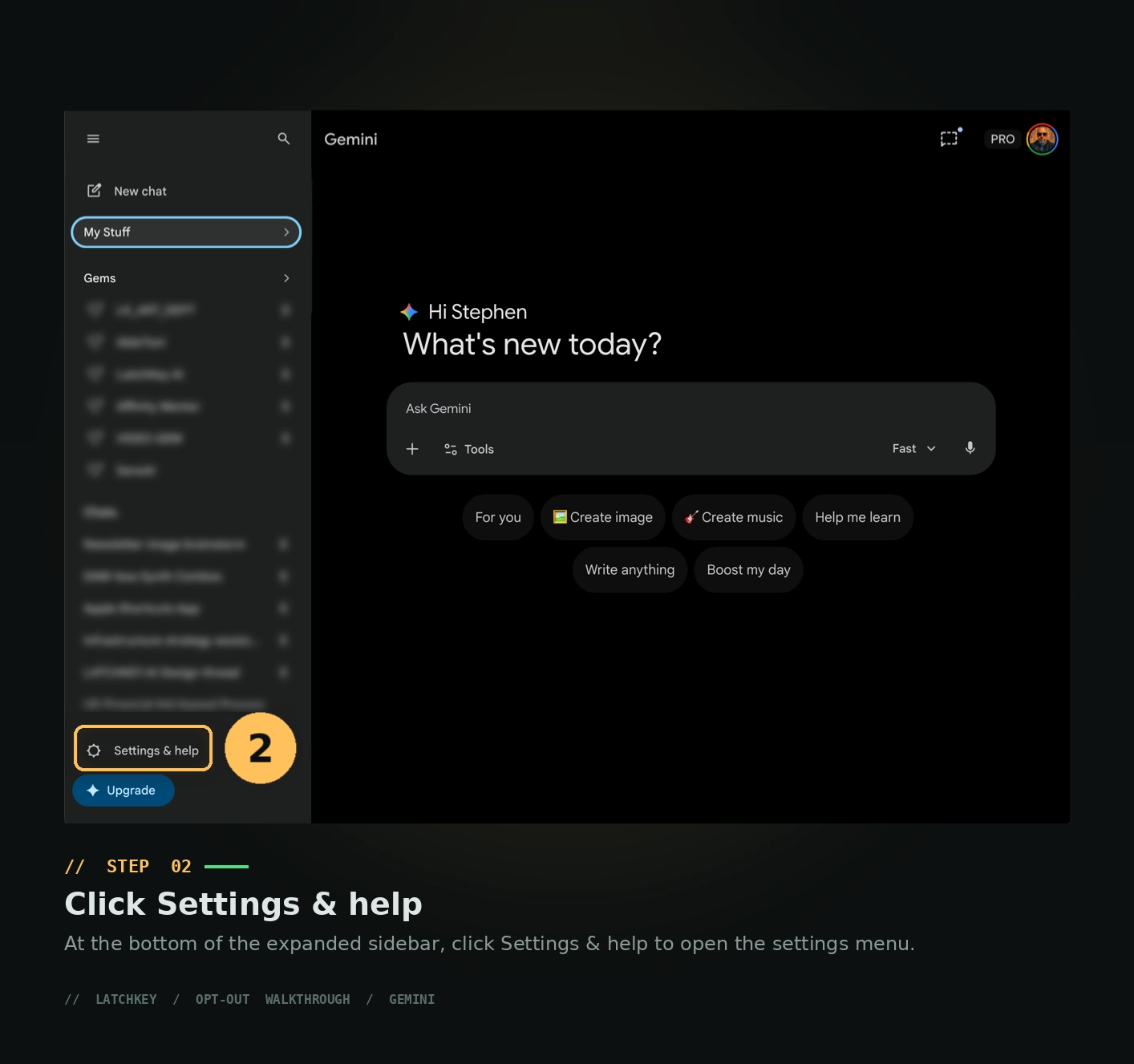
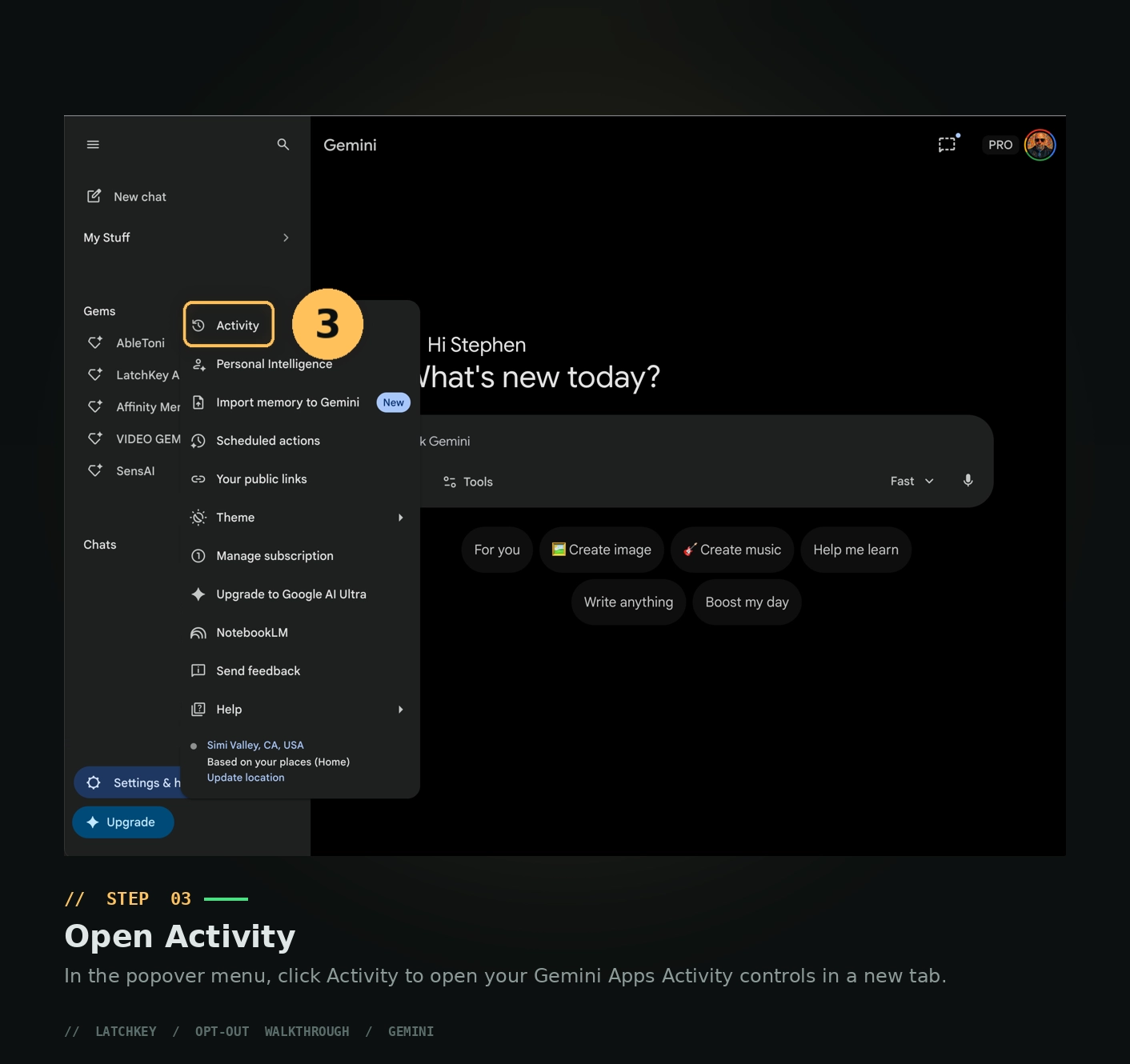
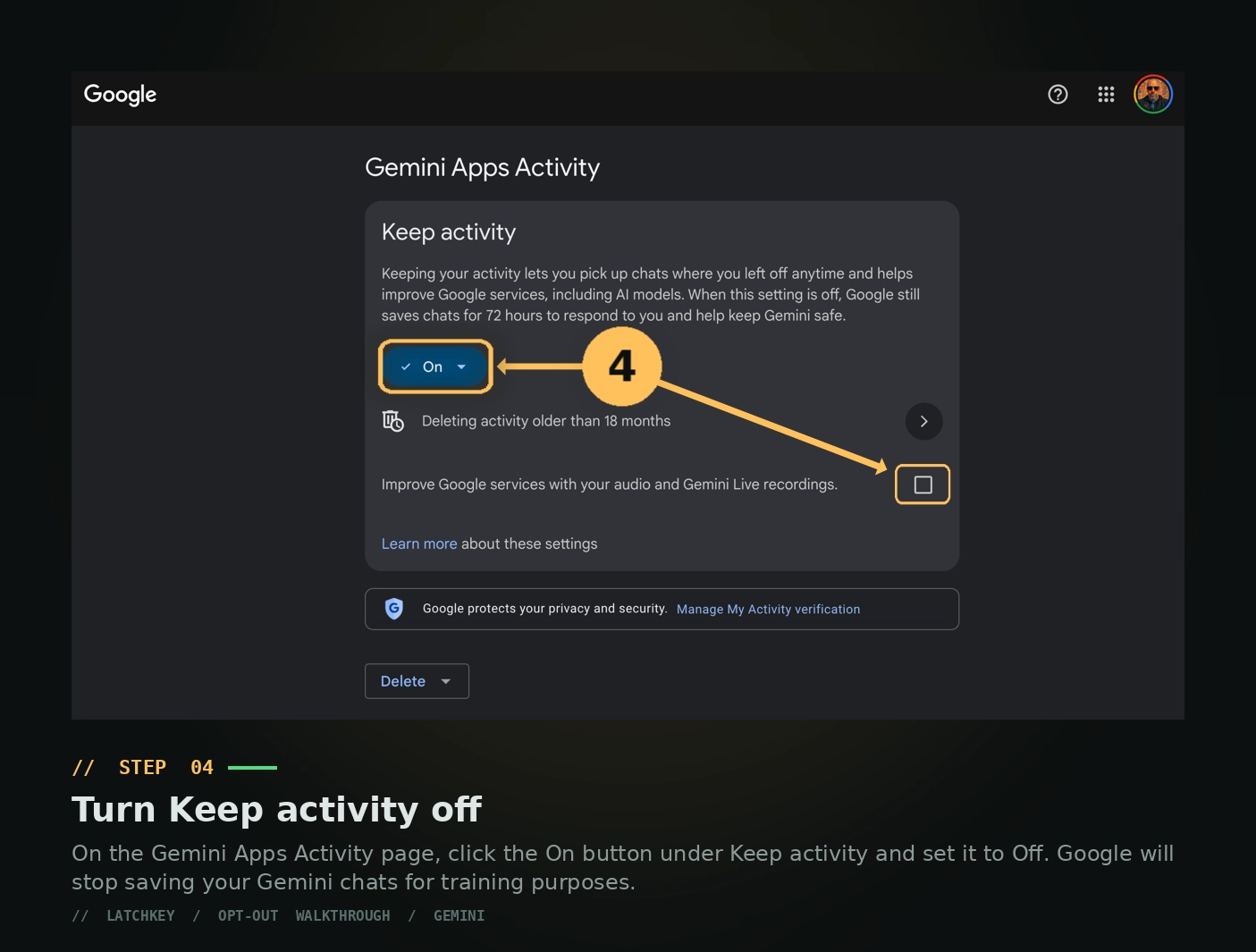
Gemini Settings
Default on the paid tier: training OFF. Google takes the opposite approach — you have to opt in, not out.
This walkthrough is from CTRL-ALT-ADAPT Issue #15: Leg Day — a newsletter for non-technical smart people learning to wield AI without losing themselves.